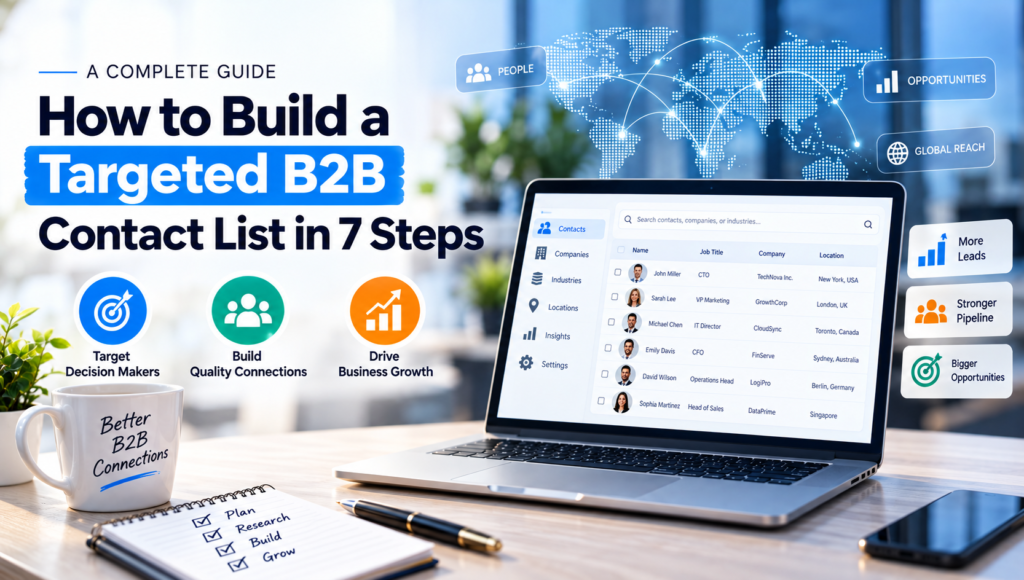
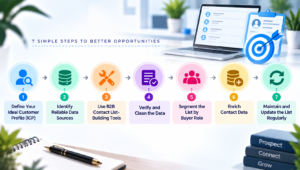
A targeted B2B contact list is a curated database of decision-makers and companies that match your ideal customer profile, verified for accuracy and segmented for outreach. Building one takes seven steps: define your ideal customer profile, pick reliable data sources, use contact list-building tools, verify and clean the data, segment by buyer role, enrich each record, and maintain the list on a set schedule.
What Is a B2B Contact List?
A B2B contact list is a structured set of business contacts names, job titles, company details, emails, and phone numbers collected for sales prospecting, email campaigns, or account-based marketing. Unlike a generic email list, a targeted B2B contact list is filtered against specific firmographic and role criteria so every contact is a realistic buyer or influencer.
Step 1: Define Your Ideal Customer Profile (ICP)
Before collecting a single contact, define who belongs on the list. Your ICP should specify industry, company size, revenue range, geography, and the tech stack or business problem your product solves. Then map buying roles: decision-makers, influencers, and gatekeepers within each target account. A tight ICP prevents wasted outreach on contacts who will never convert.
Step 2: Identify Reliable Data Sources
Pull contact data from sources that are current and permission-appropriate:
- Company websites and press releases: leadership pages and “About Us” sections list named executives.
- LinkedIn Sales Navigator: filter by industry, title, company size, and location.
- Industry directories and associations: niche databases often have better accuracy than general ones.
- Trade shows and webinars: attendee lists are pre-qualified by interest.
- CRM and existing customer referrals: warm contacts convert faster than cold ones.
Combining two or three sources reduces reliance on any single dataset that may be outdated.
Step 3: Use B2B Contact List-Building Tools
Manual research doesn’t scale past a few dozen accounts. Purpose-built tools speed up collection and verification:
- Prospecting platforms: (Apollo, ZoomInfo, Cognism, Lakeb2b) pull firmographic and contact data by filter.
- Email finder tools : (Hunter, Snov.io) locate and format likely email addresses from a domain.
- Web scrapers : extract public contact details at scale from directories or LinkedIn, when used within each platform’s terms of service.
- Data enrichment APIs: append missing fields job title, company size, funding stage — to partial records.
Pick tools that match your target market’s region and industry; coverage quality varies significantly by geography.
Step 4: Verify and Clean the Data
A contact list is only as useful as its accuracy. Run every record through:
- Email verification: catch invalid, disposable, or catch-all addresses before sending.
- Duplicate removal: merge records for the same contact from different sources.
- Format standardization: consistent naming, phone formats, and company name spelling.
- Job-change checks: confirm the contact still holds the listed title at the listed company.
Skipping verification inflates bounce rates and can damage sender reputation on email platforms.
Step 5: Segment the List by Buyer Role
Group verified contacts into segments so messaging matches each audience:
- Decision-makers (budget authority)
- Technical evaluators (product fit)
- End users (day-to-day operators)
- Gatekeepers (executive assistants, procurement)
Segmentation also lets you sequence outreach engaging technical evaluators first, then looping in decision makers once interest is confirmed.
Step 6: Enrich Contact Data
Add context beyond name and email to personalize outreach:
- Recent company news (funding rounds, leadership changes, product launches)
- LinkedIn activity or shared connections
- Tech stack the company currently uses
- Company size and growth stage
Enrichment turns a flat contact list into a prioritization tool you can rank accounts by fit and timing rather than treating every row equally.
Step 7: Maintain and Update the List Regularly
B2B data decays quickly: people change jobs, companies merge, emails go stale. Set a recurring cadence monthly for high-priority accounts, quarterly for the broader list to re-verify emails, refresh job titles, and remove contacts who’ve left the company or opted out. A list refreshed on schedule consistently outperforms a static one, even if the static list was originally more complete.
Building a targeted B2B contact list is a repeatable process, not a one-time export: define the ICP, source from multiple channels, verify and enrich every record, segment by role, and refresh on a schedule. Teams that treat list-building as ongoing maintenance consistently see lower bounce rates and higher reply rates than teams that build once and let the data go stale.
Frequently Asked Questions
How many contacts should a targeted B2B list have?
There’s no fixed number quality matters more than volume. A list of 200 tightly matched decisionmakers in your ICP will outperform 5,000 unfiltered contacts, since targeted lists get higher reply and conversion rates per contact reached.
How often should you update a B2B contact list?
Update high-priority segments monthly and the full list at least quarterly. B2B contact data typically degrades within 6-12 months as people change roles, so a set refresh cadence keeps bounce rates and reply rates healthy.
What’s the difference between a B2B contact list and a lead list?
A contact list is a raw set of verified people and companies matching your ICP. A lead list is a subset of that contact list who’ve shown buying intent through a form fill, content download, or engagement with outreach and are further along the funnel.
Is it legal to build a B2B contact list from public sources?
Collecting publicly available business contact information is generally permitted, but outreach must still comply with regulations like GDPR (EU) and CAN-SPAM (US), which require accurate sender identification, an opt-out mechanism, and in GDPR’s case a lawful basis for processing personal data.